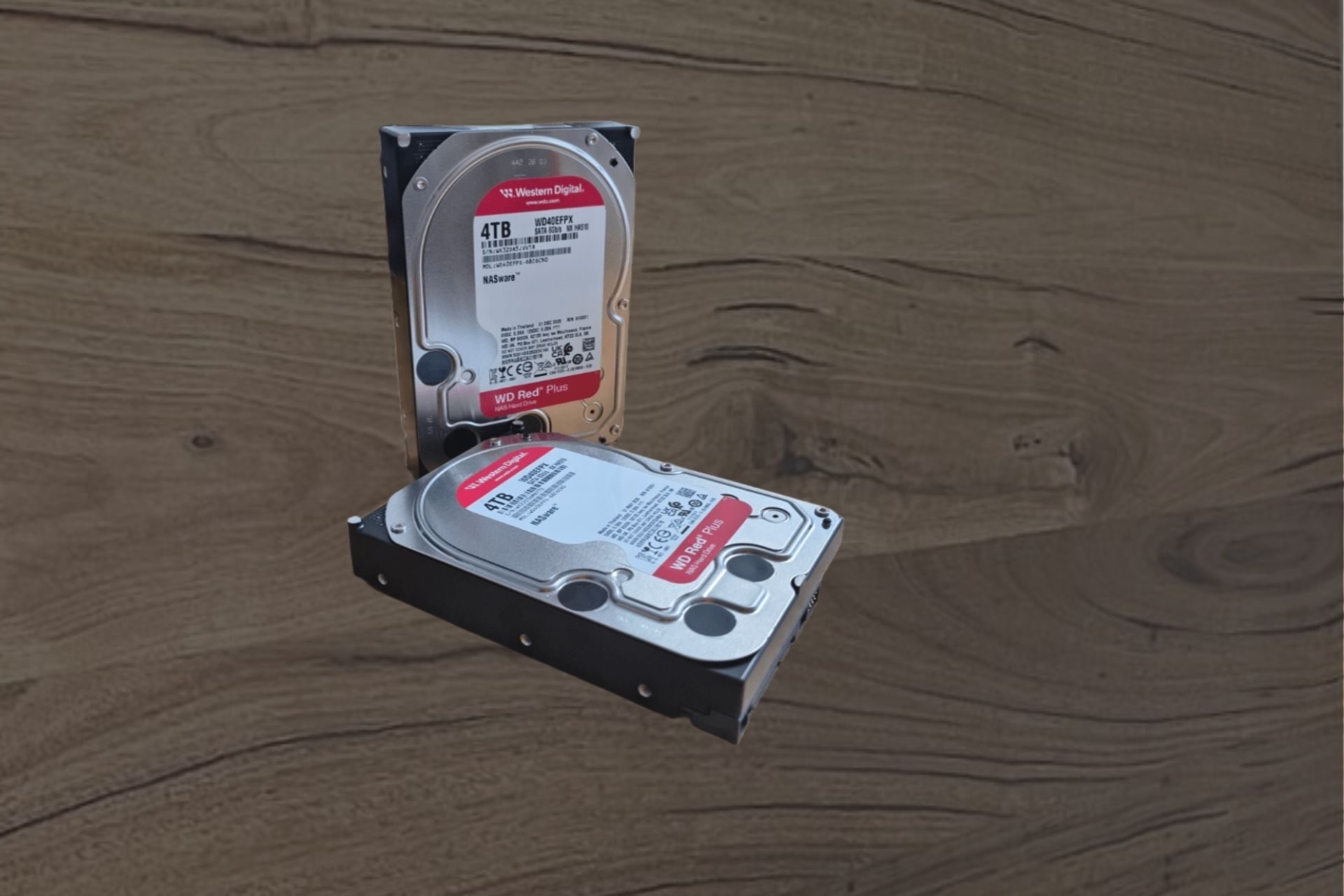
Two 4TB Western Digital WD Red Plus NAS hard drives on a workbench at the Kiwi Data Recovery lab in Auckland, the type of drive recovered from failed NAS and desktop systems

Hard Drive Data Recovery in Auckland - Courier From Anywhere in NZ

When a hard drive fails, what you do in the next hour matters more than anything else. Every extra power-on of a mechanically failing drive can grind data off the platters for good. We are a specialist data recovery lab in Auckland: we diagnose exactly what has failed inside your drive, give you a firm quote before any recovery work starts, and only then proceed - with your say-so. If your drive is clicking, beeping, not detected or suddenly empty, unplug it and talk to us first.

Book your device in

Assessment from $230. You get findings and a firm quote before any recovery work starts.

Prefer to talk?Call NowWhatsApp
  • Auckland lab - work done in-house
  • Specialists since 2016
  • Assessment from $230
  • Firm quote before any recovery work
  • Overnight courier, NZ-wide
  • Recovery from an image - not your original drive

What the sounds from your drive mean

A failing hard drive usually tells you what is wrong with it, if you know how to listen. These are the sounds we hear described on the phone every week, and what each one typically means inside the drive. In every case the advice is the same - power off now - but the sound shapes what the recovery involves and what it is likely to cost.

Clicking or ticking

  • The classic sound of head failure. The heads sweep across the platters looking for servo data they can no longer read - either because the heads themselves are damaged or because the drive's firmware area is unreadable - then reset and try again. That repeated sweep is the click.
  • A clicking drive is a hardware recovery: it needs to be opened in controlled conditions and usually needs its head assembly replaced with a matched donor part before any data can be read.
  • Continuing to power a clicking drive is the most common way recoverable data becomes unrecoverable.

Beeping or a faint whine

  • A drive that beeps is usually a drive whose platters cannot spin. The spindle motor draws power, can't turn, and the vibration you hear as a beep is the motor trying.
  • The two usual causes are a seized spindle motor and stiction - heads that have landed on and stuck to the platter surface, holding it still. Both are mechanical recoveries.
  • Handled properly in the lab, stiction is a well-understood mechanical recovery; it becomes unrecoverable when someone tries to free it by tapping, twisting or repeatedly powering the drive.

Grinding or scraping

  • Power off immediately and do not power on again, even once.
  • Grinding usually means something is contacting the platter surface while it spins - a damaged head, or debris inside the drive. Every second of that contact removes magnetic coating, and the data stored on it.
  • Drives that grind can still be recovered, but the outcome depends almost entirely on how quickly they were stopped.

Spins up, clicks, spins down, repeats

  • A drive that cycles - spin up, a few clicks, spin down, try again - is usually failing to read its own firmware from the platters, or its heads are failing partway through initialisation.
  • It looks alive, which tempts people to keep trying it in different computers and enclosures.
  • Treat it exactly like a clicking drive: stop, and have it assessed.

Completely silent

  • No spin, no sound, no vibration usually points to electronics: the drive's circuit board (PCB) is not delivering power to the motor.
  • Common after power surges, wrong power adapters on external drives, and liquid contact.
  • This is often one of the more contained recoveries - but not a DIY one, for the reasons below.

Sounds normal, but not detected or painfully slow

  • Plenty of failing drives make no unusual sound at all. The drive spins up smoothly but the computer doesn't see it, hangs when it is plugged in, or takes minutes to open a folder.
  • Behind that is usually one of three things: a growing count of bad sectors the drive keeps retrying, a fault in the drive's firmware area, or early-stage head degradation.
  • These drives are the quiet emergencies - they still work just well enough that people keep using them until they don't work at all.

Things the internet will tell you to try

  • The freezer trick. The advice dates from drives built decades ago, and it was marginal even then. Putting a modern drive in the freezer causes condensation on the platters and electronics the moment it comes back to room air. Water on the platter surface then meets heads flying nanometres above it.
  • Swapping the circuit board yourself. Modern drives store unique, factory-tuned calibration data (adaptives) in a ROM chip on the board - data specific to that individual drive, not that model. A donor board without your original ROM contents will not run your drive properly, and on some drives a mismatched board can do real damage.
  • Opening the drive to take a look. A hard drive is not user-serviceable anywhere with normal air. Dust, a fingerprint, or the wrong touch on a platter can end the recovery. Drives that arrive already opened at home are consistently our hardest cases.
  • Running recovery software on a failing drive. Point it at a drive with failing heads or spreading bad sectors and it will hammer the weak areas for hours, often finishing the drive off. The professional approach is the opposite: clone the drive first, gently, then recover from the clone.
  • "Just one more try." Each spin-up of a mechanically compromised drive is wear on exactly the parts that are failing. If it didn't work the last three times, the fourth attempt is going to be more platter damage.

How we recover data from failed hard drives

Hard drive recovery is our core discipline - it is the work the rest of the lab is built around. What separates a data recovery lab from a computer shop is not effort, it is method and equipment.

Imaging before everything. We do not "repair" your drive and hand it back running - a failed drive is never trustworthy again. The goal is different: get one complete read of your data off the failing drive and onto a healthy one, with as little stress on the patient drive as possible. We use dedicated hardware imagers built for failing drives. They read the drive head by head, tolerate and map errors instead of hanging on them, back off when an area is weak and return to it later, and never write a single byte back to your drive.

Mechanical work with matched donor parts. Head assemblies and motors cannot be repaired; they are replaced with parts from compatible donor drives, matched by model, family and manufacturing details - not just capacity. The drive is opened under controlled conditions in the lab, never in the field. After a head swap the drive typically has a limited working life measured in hours, which is exactly why imaging discipline matters.

Firmware and electronics. A large share of "dead" drives have nothing mechanically wrong with them. The drive's firmware - stored partly on the platters in a reserved service area - has become corrupted, and the drive cannot finish starting up. This is invisible to software tools and needs vendor-specific equipment that can talk to the drive below the level a computer sees. On the electronics side we work at board level: diagnosing failed components, and transferring the original ROM with its drive-specific calibration data when a board must be replaced.

Recovery from the image, verified. Once the drive is imaged, recovery happens from the image - your original drive is done working. We rebuild file systems, extract your folders and verify that files open, then return the data on a new drive or by secure transfer.
[Photo - imaging a failed drive]

Every kind of drive, every kind of failure

We recover data from every hard drive format in common use in New Zealand:

  • Desktop and laptop drives - 3.5" and 2.5" SATA drives from PCs, iMacs and laptops, including drives pulled from machines that no longer boot. Laptop data recovery
  • External and portable drives - the most common patient in the lab, and the most commonly dropped. Includes externals with USB-only boards and hardware encryption, which fail in their own particular ways. Portable and external drives
  • All major brands - Seagate, Western Digital, Toshiba, HGST/Hitachi and Samsung, each with their own firmware architectures and known failure patterns. There is no brand we turn away.
  • Old drives out of a drawer - a drive that last spun years ago, holding the only copy of photos or work from that era. Age brings its own risks, so these deserve a careful first spin-up in the lab. IDE/PATA and other legacy interfaces included.
  • Drives from RAID arrays, NAS boxes and servers - multi-drive systems are their own discipline with their own risks. RAID, NAS and server recovery
  • CCTV and DVR drives - surveillance drives run 24/7 and store footage in proprietary formats; recovering a specific incident's footage is a common police and insurance request.

If your storage is an SSD or a flash device rather than a spinning drive, that is a different discipline - chip-level rather than mechanical - and we handle it too: SSDs, USB flash drives and memory cards.

[Photo - drive shelf / donor library]

Deleted files and formatted drives

Not every data loss is a hardware failure. If your drive is healthy but the data is gone - deleted files, an emptied recycle bin, a formatted partition, a reinstalled operating system - recovery is about what has and hasn't been overwritten. Deleting a file removes the signpost to it, not the file itself; the space is simply marked free and reused over time. That has two consequences worth being honest about.

The sooner the drive stops being used, the more comes back. Every browsing session, every download, every system update overwrites a little more of the free space where your files are waiting.

And: honestly assessed, some software-level cases don't need us. If you deleted a file five minutes ago on a healthy drive, reputable recovery software run from a different drive may well get it back, and we will tell you so. Where we earn our fee is where the stakes or the complexity are higher - the drive also has physical problems, the file system is badly damaged, the data is business-critical, or a first recovery attempt has already muddied the water.

[Photo - workstation / file recovery]

How it works

  1. Get in touch

    Call, WhatsApp or book online. Describe what happened and what the drive is doing; the sounds matter, so tell us what you hear.

  2. Get it to the lab

    Drop it at our Auckland lab or courier it overnight from anywhere in NZ. We'll tell you how to pack a failed drive safely.

  3. Assessment and firm quote

    We diagnose what has actually failed and quote the recovery. Assessment from $230. No work proceeds without your approval.

  4. Recovery and return

    Approved recoveries are imaged and extracted in our lab, and your data is returned on a new drive or by secure transfer.

Specialists since
2016
Before any recovery
Firm quote
NZ-wide
Overnight courier
Auckland lab
Work done in-house

Hard drive data recovery: your questions

The questions we answer on the phone every week, honestly.

How much does hard drive data recovery cost in NZ?

It depends entirely on what has failed. A software-level recovery from a healthy drive sits at one end; a mechanical recovery needing donor parts sits at the other. That range is exactly why we assess first: assessment starts from $230, and you then get a firm quote for your specific drive before deciding anything. You will never get a surprise bill, because no recovery work starts without your approval.

My hard drive is clicking. Can the data be recovered?

Often, yes - if the clicking is treated as the emergency it is. Clicking usually means the heads are failing, and every additional power-on risks the heads damaging the platter surface, which is a form of damage nobody can recover from. Power the drive off, leave it off, and get it assessed. Clicking drives that arrive promptly give the lab far more to work with than drives that were retried for a fortnight first.

Does the freezer trick work?

On modern drives, no - and it usually makes things worse. Freezing a drive causes condensation on the platters and electronics as it warms back up, and moisture on a platter surface is a direct threat to the heads flying above it. Whatever marginal effect it may have had on drives from decades ago, on a current drive it trades a recoverable fault for an unrecoverable one.

Can I just swap the circuit board with one from an identical drive?

Not on any drive made in roughly the last two decades. The board carries a ROM chip with calibration data unique to your individual drive - not the model, your drive. A donor board without that data won't run the drive properly, and some mismatches cause damage. Board-level recovery means transferring your original ROM to the donor board, which is microsoldering work we do in the lab.

I dropped my external hard drive and now it beeps or isn't recognised. What now?

Don't plug it in again. A drop while the drive was running very likely damaged the heads or left them stuck to the platters, and repeated power-ons turn a recoverable drop into an unrecoverable one. Leave it unplugged and get it to us - beeping and post-drop failures are among the most common jobs in the lab. Portable and external drives have their own page with more detail.

The drive is from an old computer and hasn't been powered on in years. Is the data still there?

Usually, yes - magnetic storage holds data for a long time unpowered. The risk isn't the data fading, it's the first spin-up: old drives can suffer stiction and degraded mechanics, and interfaces like IDE need the right equipment anyway. Resist the urge to test it at home; let its first spin in years happen in the lab, where a problem can be caught immediately.

My drive isn't making any strange noises but isn't detected. Is that better or worse?

Neither - it just points to different failure types: electronics, firmware corruption, or early head or media degradation rather than gross mechanical failure. Some of these are among the more contained recoveries. The mistake to avoid is concluding that a quiet drive is safe to keep experimenting with. Undetected means unwell; assessment tells you which kind.

Can you recover deleted or formatted data, or do I even need a lab for that?

Both fair questions. Yes - deleted and formatted data is recoverable when it hasn't been overwritten, and the key move is to stop using the drive immediately. And honestly: a simple recent deletion on a healthy drive may be solvable with reputable software run from another disk, and we'll say so if that's your situation. We add value when the drive also has faults, the file system is damaged, the data is critical, or earlier recovery attempts have complicated things.

How long does hard drive data recovery take?

It depends on the fault and the queue. A firmware or electronics fault resolves faster than a mechanical recovery that needs donor parts sourced and fitted, and a drive with extensive weak sectors images slowly by necessity - rushing a failing drive destroys data. We'll give you a realistic timeframe with your quote, and urgent business cases can be prioritised - talk to us.

Is my data kept confidential?

Yes. Your drive is worked on in our Auckland lab by our own specialists - it is never sent offshore or subcontracted. Recovered data is handled only as needed to verify the recovery, returned to you, and then securely erased from our systems once you've confirmed you have it. We're used to commercially sensitive and legally sensitive material, and we can sign an NDA if your situation requires it.

Your data is one careful decision away

Whatever your drive is doing - clicking, beeping, silent or just gone from the computer - the path back to your files starts the same way: stop powering it on, and get it assessed by people who open drives every week. Auckland locals can drop in; everyone else is one overnight courier away.